


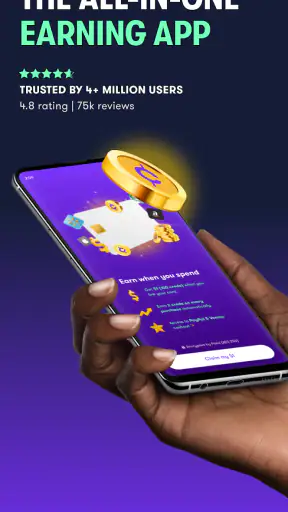
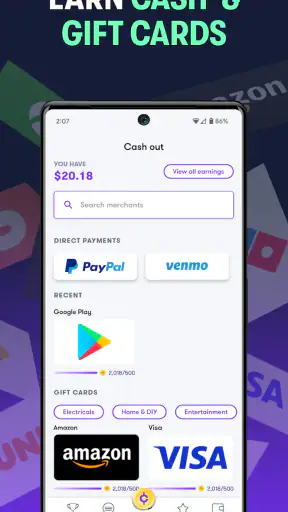
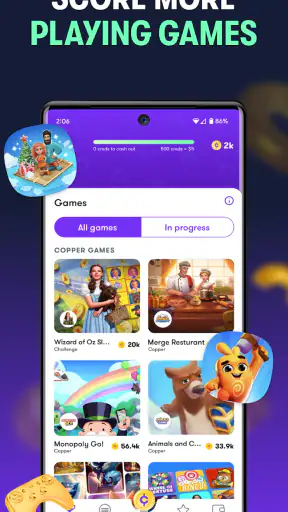
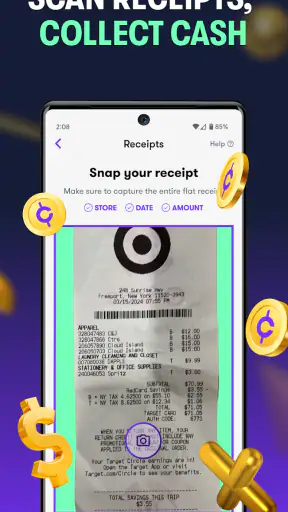
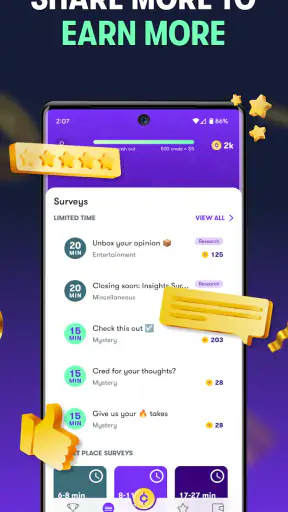
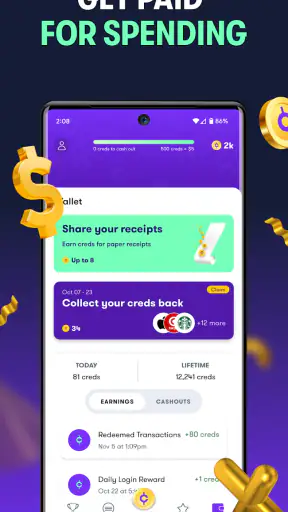
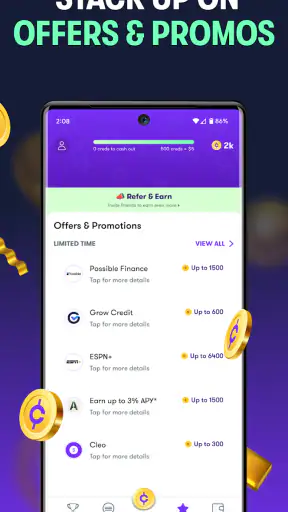
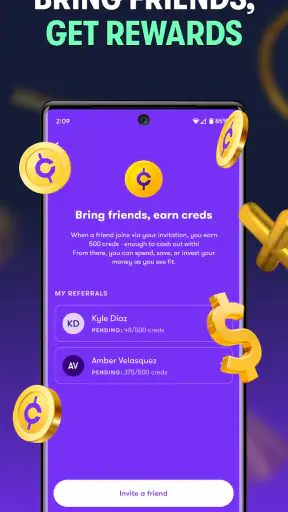
Copper: Earn Cash Rewards is a finance app with an unusual route to small rewards: instead of managing a bank balance or tracking expenses, it connects earning opportunities with mobile games. I approached it less like a conventional money app and more like a reward layer that sits beside casual gaming. That distinction matters, because the experience depends heavily on how smoothly the app can connect, load offers, record activity, and move you through each step.
The developer is Next Financial, and the app is free to install for everyone. Its store summary focuses on getting a starting reward after downloading a first game and earning cash, but my view is more practical: this is best treated as a way to turn spare gaming time into occasional rewards, not as a dependable income source. The difference between those two expectations determines whether Copper feels useful or disappointing.
How Copper feels when the connection is doing the work
The first thing I noticed is that Copper is not an app I would use in isolation from the rest of my phone. Its value comes from a chain of connected actions: opening the reward app, viewing an opportunity, moving to a game, spending time there, and returning to check progress. Each transition makes the network part of the experience, even when the activity itself looks like ordinary mobile gaming.
When the connection is stable, the process feels reasonably straightforward. I can browse the available opportunities, choose something that fits my interests, and follow the instructions instead of randomly installing games and hoping a reward appears later. That is an important practical advantage over simply trying games from an advertising feed, where it is easy to lose track of what led to a particular reward.
Connectivity also affects how confident I feel about progress. If a screen loads slowly or an offer takes time to appear, I am less certain whether the action has registered or whether I should wait. With a normal game, a delayed page is irritating. With a reward app, the same delay raises a more important question: did I complete the requirement correctly?
For that reason, I would avoid beginning a new offer while moving between weak-signal areas. A train platform, crowded event, or basement can make a simple sequence feel unnecessarily risky. I prefer to open the offer first, read its conditions carefully, and start only when I have a reliable connection and enough time to finish the initial setup without interruption.
The best mobile situations for using it
Copper fits short, intentional sessions better than constant checking. A realistic example would be waiting for an appointment with a dependable connection. I can review the available games, select one that sounds tolerable, and use the waiting time for a clearly defined task. That is more sensible than opening the app repeatedly throughout the day, especially if each visit requires another page to load before I know what is available.
It can also suit a quiet evening when I already planned to play something casual. In that situation, the reward is an extra reason to choose a particular game, rather than the only reason to spend time on it. I find this mindset healthier because it prevents the app from turning every spare minute into a calculation about earnings.
On the other hand, Copper is less appealing when I need immediate access to money. The app belongs to the reward side of finance, not the budgeting, banking, or investing side. If my goal is to see where my monthly spending goes, move money between accounts, or plan bills, a budgeting app or bank app is the more direct tool. Copper makes sense only when the activity itself—playing mobile games—is acceptable to me.
Phone context matters too. Gaming offers can be awkward when I am conserving battery, managing limited storage, or trying to keep my device uncluttered. I would not install an unfamiliar game merely because it appears in front of me. I first ask whether I genuinely want to try it and whether the required steps seem reasonable for the time I am willing to spend.
Reading an offer before starting is more important than it looks
One of my strongest recommendations is to slow down before selecting an opportunity. The attractive part of a reward app is the promise of a simple exchange, but the useful question is not just how much a task might return. It is whether the task matches my habits, available time, connection quality, and willingness to keep another game on my phone.
I would read the instructions from beginning to end, note any milestones, and avoid switching between several similar offers at once. This creates a clean workflow: one offer, one installed game, and one record of what I was attempting. That small amount of organization can prevent confusion later, particularly if I pause for several days and forget which game was connected to which reward path.
A second practical tip is to capture the important instructions for my own reference before leaving the offer screen. I am not treating that as proof of completion; it is simply a way to remember the intended sequence. If the network drops later, I can compare what I was trying to do with what the app shows after reconnecting instead of relying on memory.
I also avoid starting an offer during a rushed moment. If I have only a few minutes before leaving home, I might install something and then forget the next step. Reward systems are easier to manage when I can give them a complete first session and check that the transition from Copper to the selected game has happened as expected.
What happens when loading fails or progress looks unclear
Connectivity problems are the most important source of friction here. A blank page, a stalled loading screen, or a delayed return from another app can make the experience feel less trustworthy than a normal game. My first response would be to avoid repeating the same action immediately. Tapping again and again, reinstalling a game, or starting a second offer can make the situation harder to understand.
A calmer recovery routine is better. I would wait briefly, return to the relevant screen, and check whether the offer or progress has updated. If the app is still not behaving normally, I would close and reopen it only after noting what I had already done. The aim is to preserve a simple timeline: selected offer, installed game, completed action, checked status.
This is one area where Copper demands more patience than a standard casual game. In a game, reconnecting usually means returning to play. In a reward workflow, reconnecting may require verifying that the correct activity is still associated with the correct offer. That extra mental step is a genuine limitation, even if the app itself remains easy to navigate when everything works.
I would also be cautious about uninstalling and reinstalling a selected game as a troubleshooting habit. If I have already begun an offer, changing the setup can make it more difficult to tell what the system recognizes. When something looks wrong, I would first preserve the current state, reconnect, and review the offer instructions rather than making several changes at once.
Another useful habit is to check the app after a completed milestone instead of assuming that a reward has appeared instantly. A delayed update does not necessarily mean the activity failed, but it does mean I should give the system time to reflect the action before beginning another one. This is especially important for anyone who tends to move quickly through multiple promotions.
Using Copper without wasting mobile data
The app is free, but that does not mean the overall experience has no practical cost. Downloading games and moving between connected screens can use data, consume storage, and add background activity to a phone. I would use a trusted Wi-Fi connection for initial downloads whenever possible, then reserve mobile data for checking offers or progress when necessary.
This approach also makes the experience easier to control. If I begin every download on cellular data, the reward can feel less worthwhile once I consider the data used by the game itself. The same applies to storage: I would remove games I no longer intend to play, but only after I am satisfied that I have finished the related activity and no longer need to refer back to it.
Data-conscious use is not only about saving bandwidth. It reduces uncertainty. A stable connection makes it easier to read instructions, confirm that the correct game opened, and review progress without repeatedly refreshing. I would rather plan one deliberate session than use the app in scattered bursts while the phone is switching between networks.
There is also a personal privacy trade-off that I would think about before using any reward platform. I am comfortable evaluating an app’s permissions and privacy explanations myself, but I would not install it blindly simply because the entry price is free. A small reward is not a reason to ignore the information shown during installation or account setup. Anyone especially sensitive about app tracking or advertising should make that decision before committing to several game offers.
Who will enjoy it, and who should choose something else
Copper is a reasonable fit for someone who already enjoys casual mobile games and likes the idea of earning occasional rewards while trying them. It is also suitable for people who can follow instructions carefully, tolerate a little waiting when progress updates, and use a reliable connection for downloads and verification.
I would be more hesitant to recommend it to someone seeking predictable earnings. The amount of time required, the appeal of the selected games, the need to keep track of offer conditions, and the network-dependent workflow all affect the real value. If I dislike the game attached to an offer, the reward may not justify the time. If I need a guaranteed return, a conventional finance tool is a better match.
It is also not ideal for a child simply because the content rating is Everyone. An age label makes the app broadly accessible, but a reward system still benefits from adult guidance around downloads, spending habits, account details, and expectations. I would explain that this is not free money and that every offer should be evaluated before starting.
Compared with cashback apps, Copper is more active: I need to play or engage with games rather than simply shop through a tracked purchase. Compared with survey apps, it may feel more entertaining, but it can require more time and device resources. Compared with banking or budgeting apps, it serves a completely different purpose. Its strength is that it connects rewards with an activity some people already enjoy; its weakness is that the activity can become work if I am playing only for the reward.
What the app’s scale says—and what it does not change
Copper has reached more than a million installs, with an average rating of 4.0 from roughly twenty thousand ratings and about four thousand reviews. That gives me useful context: it is established enough to have a substantial user base, but the rating also suggests that the experience will not be perfect for everyone. I would read recent user feedback with attention to recurring complaints about tracking, loading, or reward handling rather than relying on the average alone.
The app was released on November 9, 2019, and its current version is 4.59.0. It requires iOS or Android 11, so compatibility should be checked before planning to use it on an older phone. A supported operating system does not guarantee that every network situation will be smooth, but an outdated device can add another source of friction through slower loading or limited storage.
The developer, Next Financial, has positioned Copper in the finance category, although the day-to-day experience feels closer to a connected rewards marketplace for games. That unusual placement is worth remembering. I would not use its presence in a finance section as a substitute for the functions I expect from a money-management app.
My practical verdict on the connected experience
After looking at the whole workflow, I see Copper as a niche tool rather than a universal finance recommendation. It can be worthwhile when I already want to play mobile games, have a dependable connection, and am willing to keep careful track of the offer I selected. The free entry point makes it easy to test, and the app’s large installed base shows that the concept has attracted plenty of interest.
Still, the network-dependent nature of the experience is central, not incidental. Loading delays, interrupted transitions, unclear progress, and data-heavy downloads can all reduce the value of a reward. My best results would come from using Wi-Fi for setup, choosing one offer at a time, recording the instructions, and waiting for progress to update before changing anything.
My recommendation is simple: use Copper as a bonus for gaming, never as a substitute for income. If that expectation feels comfortable, the app may turn idle play into a modest extra benefit. If I would resent the game, worry about every delayed update, or need reliable money on a schedule, I would choose a different finance or rewards option instead. That honest boundary is what makes the app easier to judge—and easier to use responsibly.


